Context
I recently came across a SPA (Single Page Application) written in Angular that had been running on an Azure App Service for a long time.
App Services are fully managed platform-as-a-service (PaaS) offerings, used to deliver web applications across various languages, frameworks, and operating systems. Because they're managed, they come with several ready-to-use capabilities, such as automatic scaling (scale up and scale out), custom domains, custom SSL, deployment integrations with GitHub Actions, Azure DevOps, and more.
But is a PaaS with so many capabilities really the best option for distributing a SPA? Probably yes, but maybe not the most efficient one. Any modern SPA boils down to a set of static files, which are typically downloaded in full by the client's browser. Because of that, there are more efficient ways to distribute these static files, taking advantage of what CDNs offer.
A CDN (Content Delivery Network) is a network of geographically distributed servers, designed to efficiently deliver static content by bringing those assets closer to the end user.
CDNs like Akamai, Verizon, and others are highly cacheable and relatively cheap, considering the volume of traffic, compared to the cost of web server infrastructure and the outbound traffic of storage solutions like S3 and Azure Blob Storage.
With that in mind, Azure built a solution that combines some of the capabilities of an App Service with a geographically distributed network for serving assets: the Static Web Apps service.
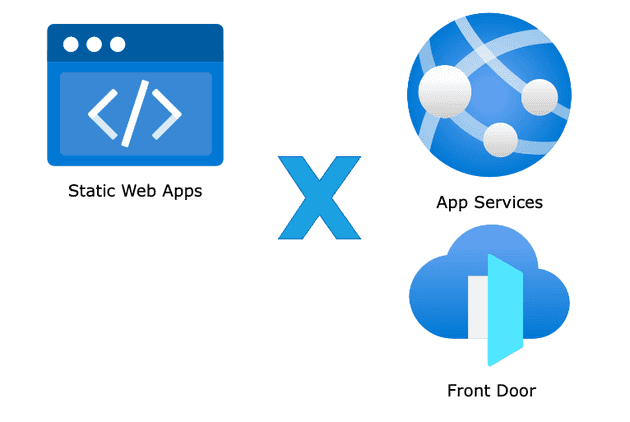
Static Web Apps
Besides being able to distribute SPAs built with frameworks like Angular, React, Vue, Blazor, or even plain HTML with CSS and JavaScript, Static Web Apps also allows for quick integration with Azure Functions, which serve as the backend for the SPA, easing CORS restrictions and simplifying the infrastructure, since there's no need to maintain a full web server [1].
Some of SWA's key features include (check the service quotas [2]):
- Easy integration with GitHub Actions and Azure DevOps Pipelines.
- Global asset distribution.
- Free SSL certificates.
- Support for custom domains.
- The first 100 GB of outbound traffic/month included.
- Integration with authentication providers like Microsoft Entra ID and GitHub.
- Creating and publishing multiple environments.
- 99.95% SLA.
You could argue that a distribution solution using Blob Storage and Azure Front Door could achieve the same result, but Front Door comes at a higher price, since it's a more robust product offering advanced distribution and cross-region routing features that may be unnecessary for use cases where you simply want to deliver a web app's static content.
Here's a cost comparison table for each solution:
| Solution | Has a free tier? | Starting price |
|---|---|---|
| Azure App Services | Yes | Starting at USD 73.00 on the Standard plan |
| Static Web Apps | Yes | USD 9.00 per app |
| Blob Storage + Front Door | No | (BS v2 LRS) Starting at USD 22.00 + (FD) Starting at USD 46.00 on the Standard plan |
In short, Static Web Apps is a simple, cost-effective, and reliable alternative for distributing SPA applications compared to other models Azure offers.